


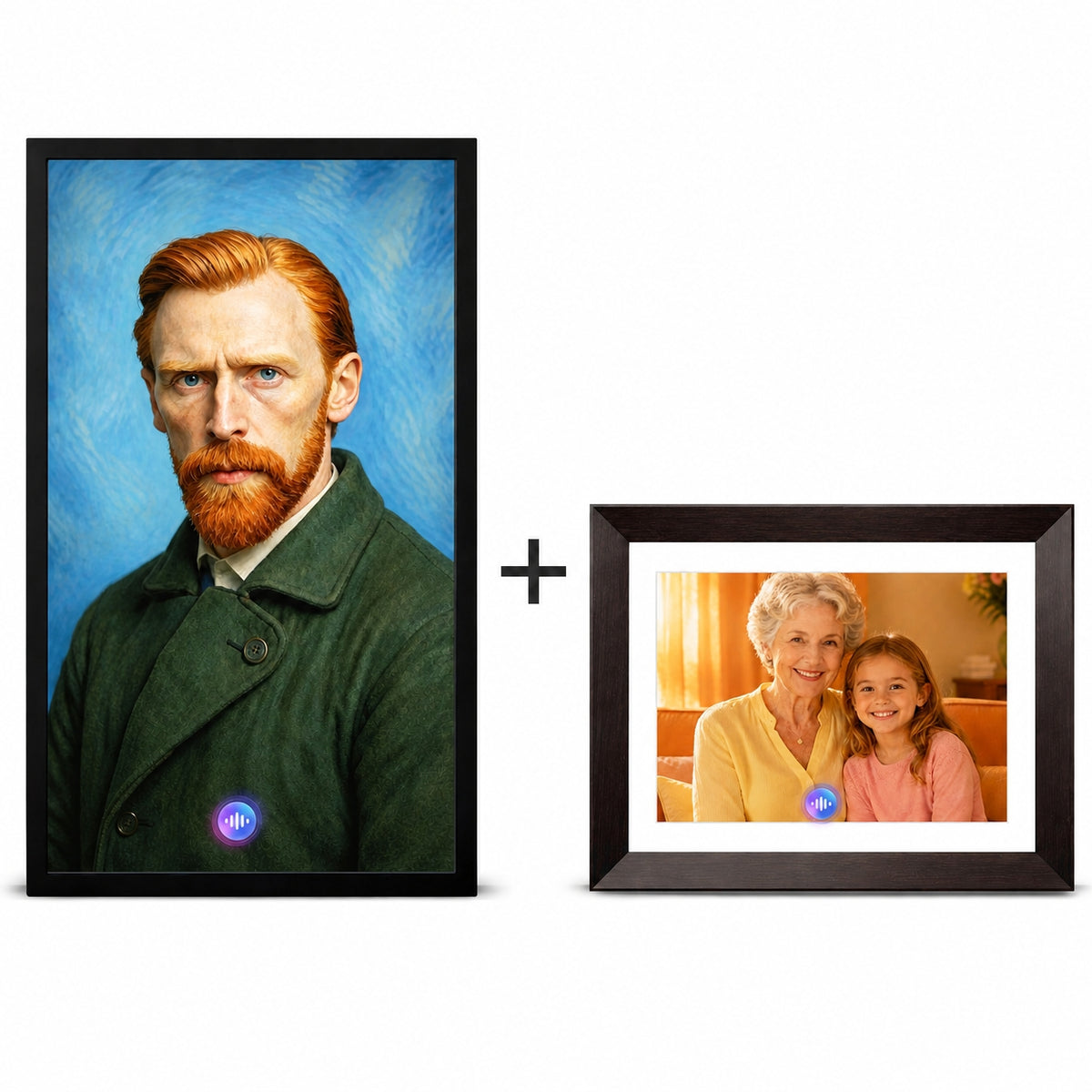

Digital photo frames may look similar from across the room, but they can create very different experiences once they enter a family’s home.
Aura is built around simple, app-managed photo sharing. Skylight gives the person in front of the frame more touchscreen control and local storage. VINABOT goes beyond displaying photos by turning selected images into interactive AI characters that can move, speak and respond.
The right choice depends on what you want the frame to do after the first photos arrive.
The Short Answer
Aura is best suited to families prioritizing an established, low-maintenance photo-sharing system with unlimited cloud storage and no subscription.
Skylight is better suited to recipients who prefer a full touchscreen, built-in storage and more control directly on the frame.
VINABOT is designed for families looking beyond a rotating photo library toward AI-generated characters, voice interaction, voice cloning and creative photo-to-video experiences.
Aura and Skylight information is based on publicly available official documentation and a named independent comparison reviewed in September 2026. VINABOT develops AI-powered digital frames and competes with products discussed here. We have not claimed equivalent hands-on testing.
Aura vs. Skylight vs. VINABOT at a Glance
Specifications reviewed in September 2026. Offers, prices and plan terms may change.
Which Digital Frame Is Easiest to Set Up?
Aura has the strongest case for families that want the helper to manage almost everything from a phone. Aura frames connect through the Aura app, where a family member can configure the frame, invite contributors, change settings and upload photos. Aura also offers gift setup, allowing photos to be added before the recipient begins using the frame.
In a 2026 month-long comparison, NBC Select reported that the Aura Aspen took less than five minutes to configure. The reviewer noted that Aura transferred Wi-Fi information through the phone, while Skylight required the Wi-Fi password to be entered on the frame itself. Read the independent comparison.
Skylight also has a straightforward setup process, but it divides the experience between its mobile app and the frame’s touchscreen. That can be helpful for recipients who want direct control, although it introduces a few more steps.
VINABOT begins like a familiar Wi-Fi digital frame: plug it in, download the VINABOT app, connect to Wi-Fi and begin sharing photos and videos. Creating an AI character requires additional choices, such as selecting a photo, defining the character and choosing or creating a voice.
Which Is Easiest for Sharing Family Photos?
Aura offers one of the most developed sharing systems in the category. According to Aura’s documentation, contributors can send photos through the Aura app, a web uploader, email and—in the United States and Canada—text messaging. Aura also supports iCloud and Google Photos syncing. Contributors and cloud uploads are unlimited, with no subscription required. See Aura’s current comparison guide.
Skylight supports photo sharing through its app and email. Email sharing can be convenient for relatives who do not want another app. Its basic photo-sharing functionality can be used without a Plus subscription.
VINABOT lets family members send photos and videos through the VINABOT app. The frame includes 32GB of built-in local storage, while the app provides additional space for uploading and managing memories.
Which Is Easiest to Use Every Day?
Aura is designed to behave more like a traditional frame than a tablet. Most management takes place inside the app, reducing the number of controls the recipient needs to understand.
Skylight takes a more direct approach. The Frame 2 touchscreen can be used to swipe through photos, zoom, crop images and interact with content. For someone already comfortable using a tablet, this can feel familiar.
VINABOT also uses a touchscreen, but touch is only part of the experience. A user can view shared photos normally, create and display AI content, or speak with a configured AI character.
Which Has the Better Display?
There is no single display winner because the models use different sizes and aspect ratios.
Aura’s 10.1-inch Carver and Carver Mat use 1280 × 800 landscape displays. The 12-inch Aspen uses a 1600 × 1200, 4:3 display and supports portrait or landscape orientation. A 4:3 screen generally matches smartphone photography more naturally, reducing aggressive cropping.
Skylight Frame 2 uses a 10-inch, 1920 × 1200 display and offers removable frame styles. Its 16:9 presentation may leave borders around some smartphone photographs or require more cropping.
VINABOT AF1 Mini uses a 10.1-inch, 1920 × 1200 IPS touchscreen. Its 16:10 format works well for photographs, videos and AI characters. VINABOT also offers a 21.5-inch, 1920 × 1080 model intended for larger rooms and wall-mounted use.
What About Storage and Internet Access?
Aura emphasizes cloud storage. Current Aura documentation states that every frame includes free, unlimited cloud storage with no subscription. This removes storage limits but keeps the experience closely connected to Aura’s online ecosystem.
Skylight Frame 2 includes 16GB of built-in storage. Once photos have reached the frame, stored content can continue to display if the internet connection temporarily drops. Cloud backup and some remote-management functions are associated with Skylight Plus.
VINABOT includes 32GB of local storage and unlimited app storage. Local storage gives the frame room to keep a substantial photo and video library on the device, while the app remains the primary way for family members to upload and manage content.
What Makes VINABOT Different?
Aura and Skylight are primarily designed to deliver and display photos. VINABOT is designed to interact with the people and stories represented by those photos.
Upload a photo, create a character and begin a natural, real-time conversation.
With VINABOT, a family can:
- Upload a portrait and create an AI character.
- Define the character’s name, personality and background.
- Add an authorized voice sample or select another voice.
- Display the character on the frame.
- Begin a natural voice conversation.
- Generate AI images from text prompts.
- Turn photos and prompts into short videos.
- Share conventional photos and videos like a standard digital frame.
This does not make conventional frames obsolete. Many families only need an attractive, reliable way to see new pictures. The difference becomes meaningful when the family wants a photograph to do more than appear in a slideshow.
Using Voice Cloning Responsibly
Voice cloning can create highly personal experiences, but it should always be used responsibly. Only upload a voice when you own the recording or have received permission from the person represented. Families should agree on how the resulting character will be used and who can access it. Read the VINABOT Privacy Policy for more information.
VINABOT should not be presented as replacing a real person. It is better understood as a creative tool for preserving familiar expressions, stories and authorized voices.
Which Frame Costs Less Over Time?
Aura has the simplest software-cost structure. Its current frame lineup includes unlimited photo and video storage without a monthly or annual subscription.
Skylight’s core photo-sharing functions can be used for free. Skylight Plus is currently promoted at $39 per year and adds features such as albums, remote settings, cloud backup and slideshow mirroring. Buyers should confirm the exact Basic and Plus feature boundaries before purchasing.
VINABOT separates its everyday frame functions from its AI membership benefits. Basic features—including photo and video sync, remote family sharing, gift presets, 32GB storage, the voice assistant, touchscreen controls, Wi-Fi, clock and weather—are ready to use without a subscription.
Every frame purchase includes six months of VINABOT Membership, with 15,000 AI credits per month and 90,000 credits in total. Credits can be used for AI conversations, character creation, AI images and text-to-video features.
Core frame features are included, while each purchase adds six months of VINABOT Membership for AI experiences.
Before buying, it is worth checking three things:
- Which functions work without a paid membership?
- How much local or cloud storage is included?
- Are AI generation and conversation credits included or purchased separately?
Who Should Choose Each Frame?
- You want simple remote management.
- Many relatives will contribute.
- Unlimited cloud storage matters.
- You do not want a subscription.
- The recipient prefers a touchscreen.
- Local storage matters.
- Email sharing feels easier.
- You want border-style options.
- You want photos to move and speak.
- You want personalized AI characters.
- Voice interaction is central.
- You want 10.1-inch or 21.5-inch options.
Frequently Asked Questions
Is Aura better than Skylight?
Aura is generally the stronger choice for families prioritizing simple app-based management, unlimited cloud storage and no subscription. Skylight is better suited to recipients who want a touchscreen, local storage and direct control on the frame.
Does Aura or Skylight require a subscription?
Aura does not require a subscription. Skylight’s basic photo-sharing functions can be used without Plus, while additional functions are included in its optional paid plan.
What is the best Aura or Skylight alternative with AI?
VINABOT is an alternative for buyers specifically looking for AI character creation, voice cloning, AI-generated content and real-time conversation. Buyers who only need photo sharing may prefer a more conventional frame.
Can VINABOT work as a regular digital photo frame?
Yes. VINABOT can display shared photos and videos in addition to its AI character and creative features.
Is VINABOT suitable for grandparents?
It can be, particularly when another family member helps with the initial setup and character creation. Families should decide whether the recipient prefers a passive slideshow, touchscreen control or active voice interaction.
Which frame offers local storage?
Skylight Frame 2 includes 16GB of local storage. VINABOT includes 32GB. Aura primarily uses its unlimited cloud library.
Final Verdict
Aura, Skylight and VINABOT solve three related but different problems.
Aura makes remote family photo sharing feel nearly invisible. It is the strongest choice for families who want a polished app experience, unlimited storage and no recurring subscription.
Skylight gives more control to the person standing in front of the frame. Its touchscreen, local storage and decorative options make it a practical choice for recipients who enjoy interacting with their devices.
VINABOT changes the role of the frame itself. Instead of only asking how easily a photograph can reach the screen, it asks what the family might do with that photograph once it arrives.
If the goal is simply to see more family photos, Aura and Skylight are established options. If the goal is to let selected photos move, speak, create and respond, VINABOT offers a different kind of experience.
Editorial and trademark disclosure. VINABOT develops AI-powered digital frames and therefore competes with products discussed in this article. Aura and Skylight information is based on publicly available official documentation and a named independent comparison reviewed in September 2026. We have not claimed equivalent hands-on testing.
Aura and Skylight are trademarks of their respective owners. VINABOT is not affiliated with, sponsored by or endorsed by either company. Prices, specifications and subscription terms may change.
See what an AI digital photo frame can become
Explore how Vinabot brings AI Creation, AI Companion, and voice interaction into a new kind of frame experience.


Leave a comment
All comments are moderated before being published.
This site is protected by hCaptcha and the hCaptcha Privacy Policy and Terms of Service apply.